HINATA Client Advanced Settings
Advanced Settings in AimeIO Mode
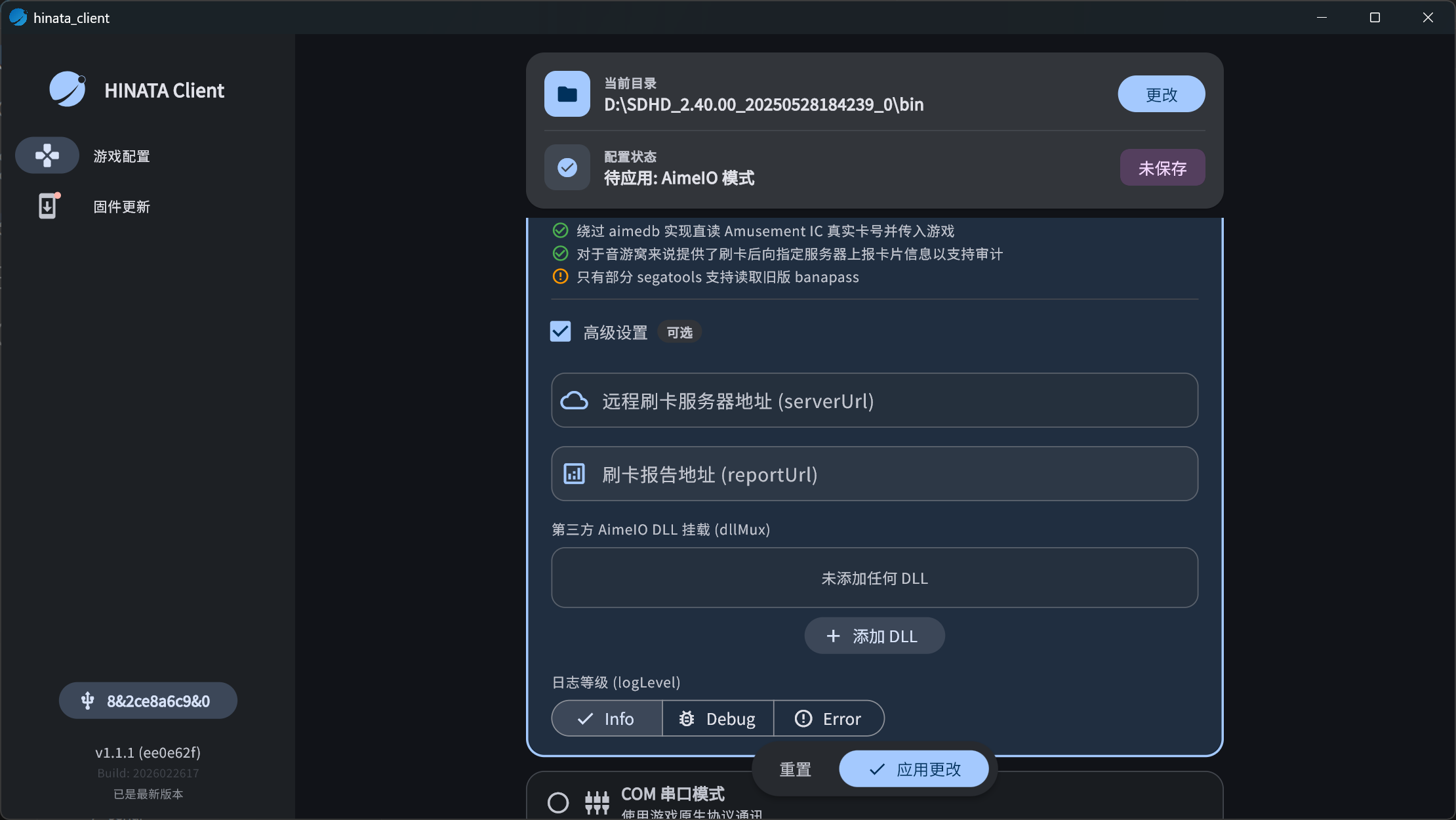
Remote Swiping Server Address (serverUrl)
Used to enable the Remote Swiping Feature.
What is the Remote Swiping Feature?
When you don't have a card reader or a physical Aime / BANA PASSPORT / Amusement IC card, setting this up allows you to swipe a card using only the card number. This is suitable for situations where there is no card reader or someone forgot their card and needs to log in to their account.
How to Use
- Enter the following in Remote Swiping Server Address (serverUrl):
wss://aime-ws.neri.moe/REPLACEME- Change
REPLACEMEto your preferred string, for example:
wss://aime-ws.neri.moe/cerisebouquet- Click Apply Changes.
After configuring, you can visit:
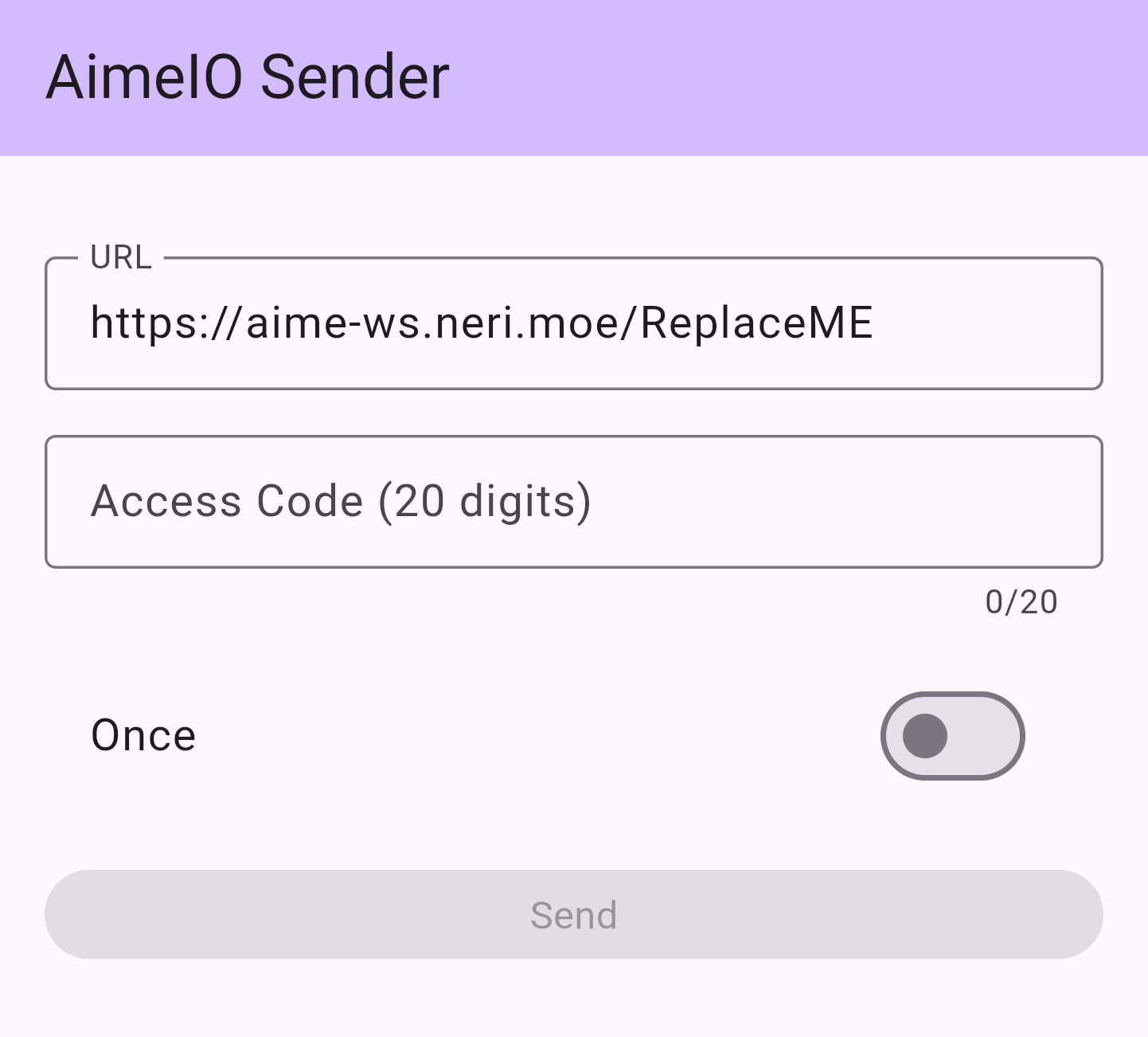
Change the ReplaceME in the URL to the same string as your configuration, for example:
https://aime-ws.neri.moe/cerisebouquetThen enter the 20-digit Access Code and click Send to swipe remotely.
Third-party AimeIO DLL Multiplexing (dllMux)
If you need to simultaneously use built-in card readers on some controllers or other card readers/services that use AimeIO, you can add DLLs here.
How to do it:
- Click Add DLL.
- Select the DLL file to be loaded.
For example, you can mount:
MU3Input.dllamnet.dllmageki.dllyubideck.dll
Once added, HINATA will load these AimeIO devices simultaneously at runtime.
Advanced Settings in COM Serial Mode
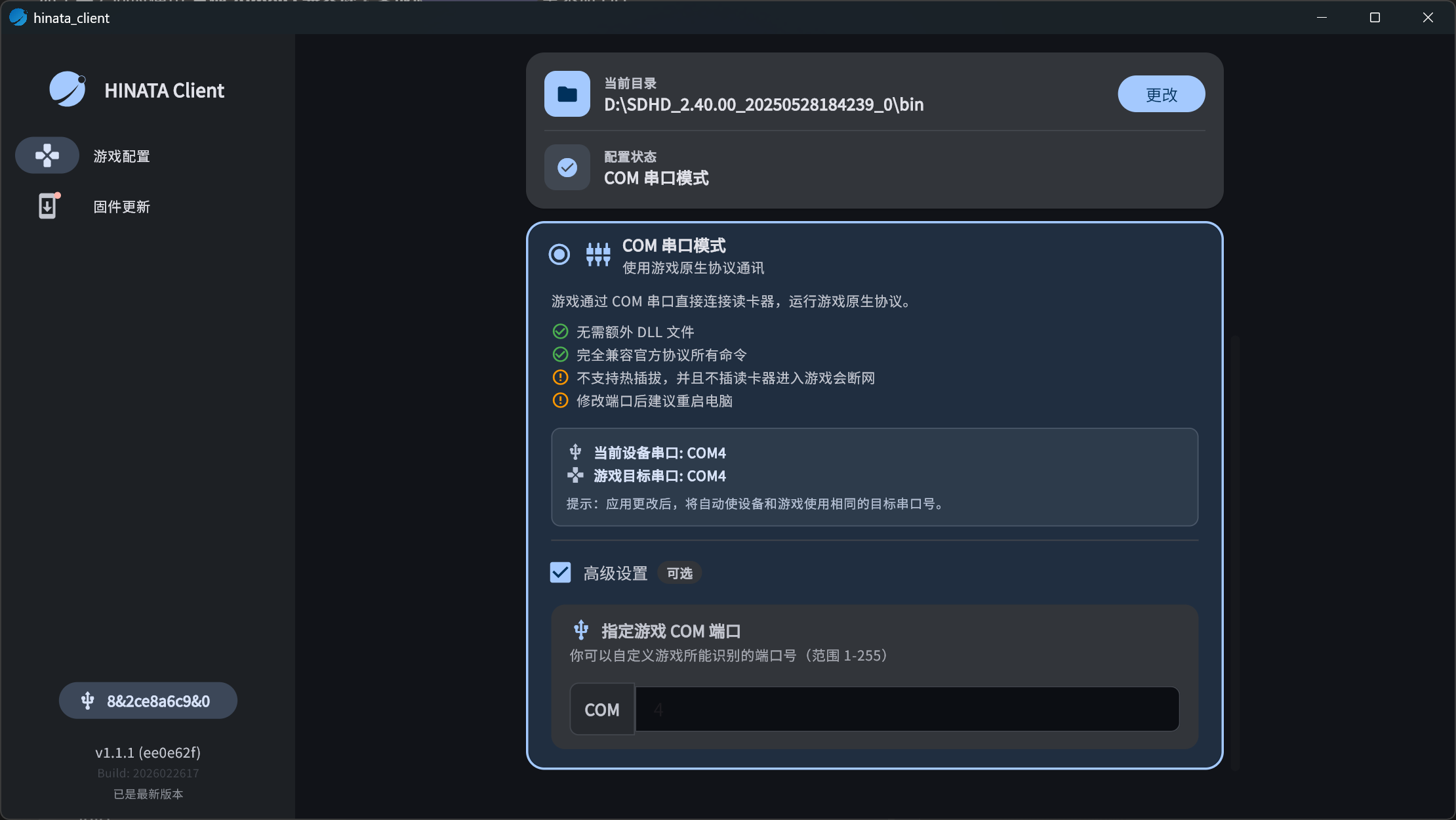
Specify Game COM Port
Used to specify the card reader port number used by the game.
If you need to switch between playing multiple SEGA rhythm games (such as maimai DX / ONGEKI / CHUNITHM), you can manually specify the COM port recognized by the game here, for example: COM7.
After clicking Apply Changes, the game will communicate with the card reader through this port.
TIP
It is recommended to use ports that are not occupied by official devices, such as COM5 ~ COM9.