Skip to content

In-game card reader test

  1. Enter the Test Mode (TEST) of the corresponding game. test0
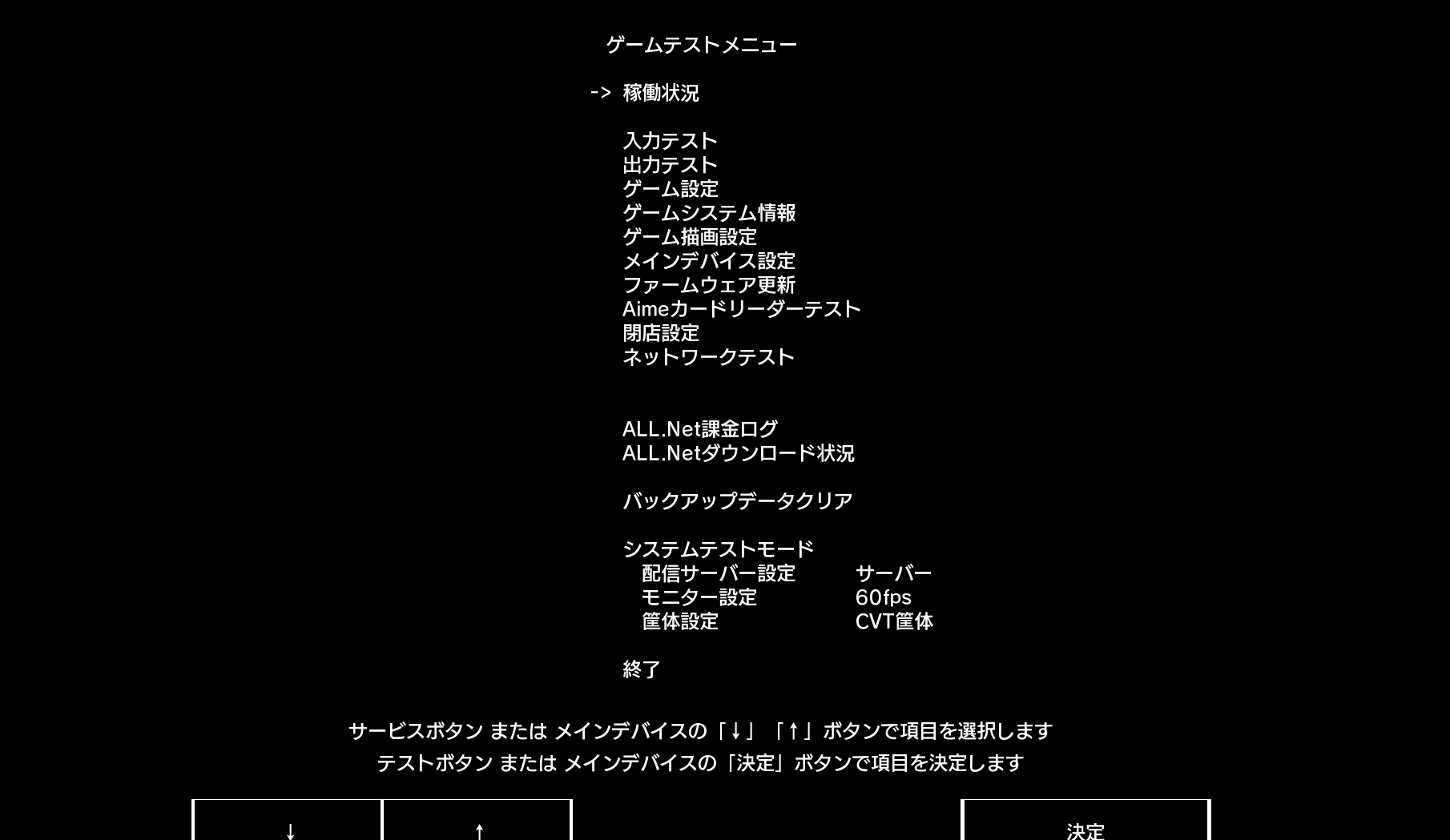
  2. Select Aime Card Reader Test using the specific operation method of each game. test1
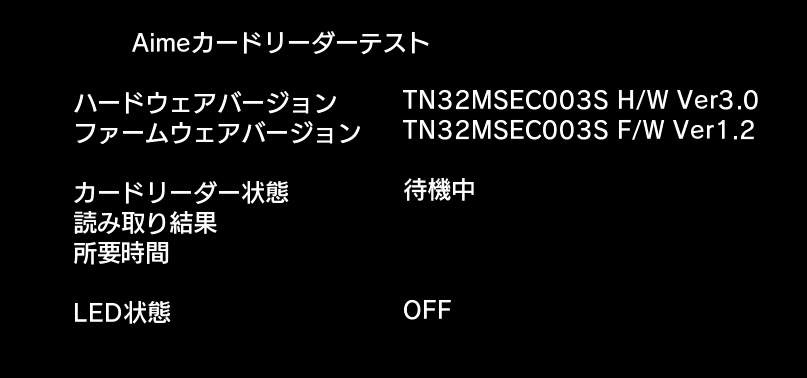
  3. Inside, you can perform card reading tests and LED tests.
    After disabling the Aime hook in Segatools, if the top two lines of the hardware and software version numbers do not show anything in the game, it means the game has not successfully connected to the card reader.

Other Pages

Layout Switch

Adjust the layout style of VitePress to adapt to different reading needs and screens.

Expand all
The sidebar and content area occupy the entire width of the screen.
Expand sidebar with adjustable values
Expand sidebar width and add a new slider for user to choose and customize their desired width of the maximum width of sidebar can go, but the content area width will remain the same.
Expand all with adjustable values
Expand sidebar width and add a new slider for user to choose and customize their desired width of the maximum width of sidebar can go, but the content area width will remain the same.
Original width
The original layout width of VitePress

Page Layout Max Width

Adjust the exact value of the page width of VitePress layout to adapt to different reading needs and screens.

Adjust the maximum width of the page layout
A ranged slider for user to choose and customize their desired width of the maximum width of the page layout can go.

Content Layout Max Width

Adjust the exact value of the document content width of VitePress layout to adapt to different reading needs and screens.

Adjust the maximum width of the content layout
A ranged slider for user to choose and customize their desired width of the maximum width of the content layout can go.

Spotlight

Highlight the line where the mouse is currently hovering in the content to optimize for users who may have reading and focusing difficulties.

ONOn
Turn on Spotlight.
OFFOff
Turn off Spotlight.