Skip to content

AimeIO Extension Features

WARNING

Please do not add extension features arbitrarily. Ensure you actually need to use a specific extension feature before adding it.

TIP

Please place the added features under the [aimeio] entry as well.

Remote Card Swiping Feature

First, add the following under the [aimeio] entry:

ini
; Remote card swiping feature, replace REPLACEME with your preferred string
; Example: wss://aime-ws.neri.moe/cerisebouquet
; It will work normally even without adding this line
serverUrl=wss://aime-ws.neri.moe/REPLACEME

Then, you can visit aime-portal.neri.moe to enter your card number and swipe your card remotely.
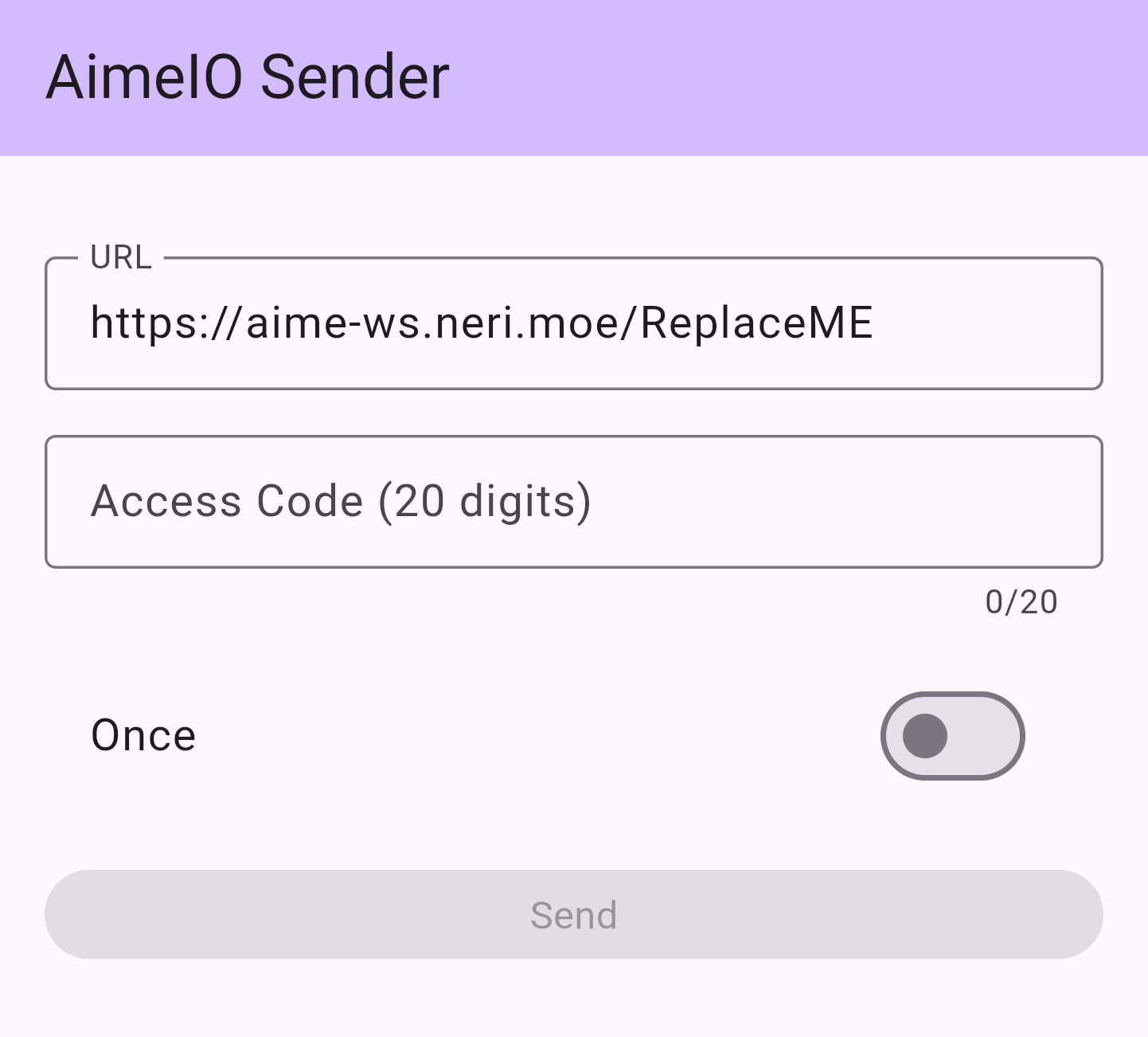
aime-portal

Change ReplaceME at the end of the URL bar to the string you used to replace REPLACEME in your segatools.ini, for example: https://aime-ws.neri.moe/cerisebouquet. Afterward, you can enter your 20-digit Access Code below and click the Send button to perform a remote swipe.

Mount and Use Other AimeIO Simultaneously

You can use certain controller's built-in card readers or other card readers/services that use AimeIO simultaneously while using HINATA.

ini
; Mount other AimeIO to use simultaneously, such as amnet, mageki, yubideck (Da Shi)
; Please add and use this when necessary
; Use '|' as a separator to mount multiple dlls at the same time
dllMux=MU3Input.dll|amnet.dll

Layout Switch

Adjust the layout style of VitePress to adapt to different reading needs and screens.

Expand all
The sidebar and content area occupy the entire width of the screen.
Expand sidebar with adjustable values
Expand sidebar width and add a new slider for user to choose and customize their desired width of the maximum width of sidebar can go, but the content area width will remain the same.
Expand all with adjustable values
Expand sidebar width and add a new slider for user to choose and customize their desired width of the maximum width of sidebar can go, but the content area width will remain the same.
Original width
The original layout width of VitePress

Page Layout Max Width

Adjust the exact value of the page width of VitePress layout to adapt to different reading needs and screens.

Adjust the maximum width of the page layout
A ranged slider for user to choose and customize their desired width of the maximum width of the page layout can go.

Content Layout Max Width

Adjust the exact value of the document content width of VitePress layout to adapt to different reading needs and screens.

Adjust the maximum width of the content layout
A ranged slider for user to choose and customize their desired width of the maximum width of the content layout can go.

Spotlight

Highlight the line where the mouse is currently hovering in the content to optimize for users who may have reading and focusing difficulties.

ONOn
Turn on Spotlight.
OFFOff
Turn off Spotlight.